Start with the scope of the question.
“What did this register sell?” and “What did the store sell?” use different sets of records.
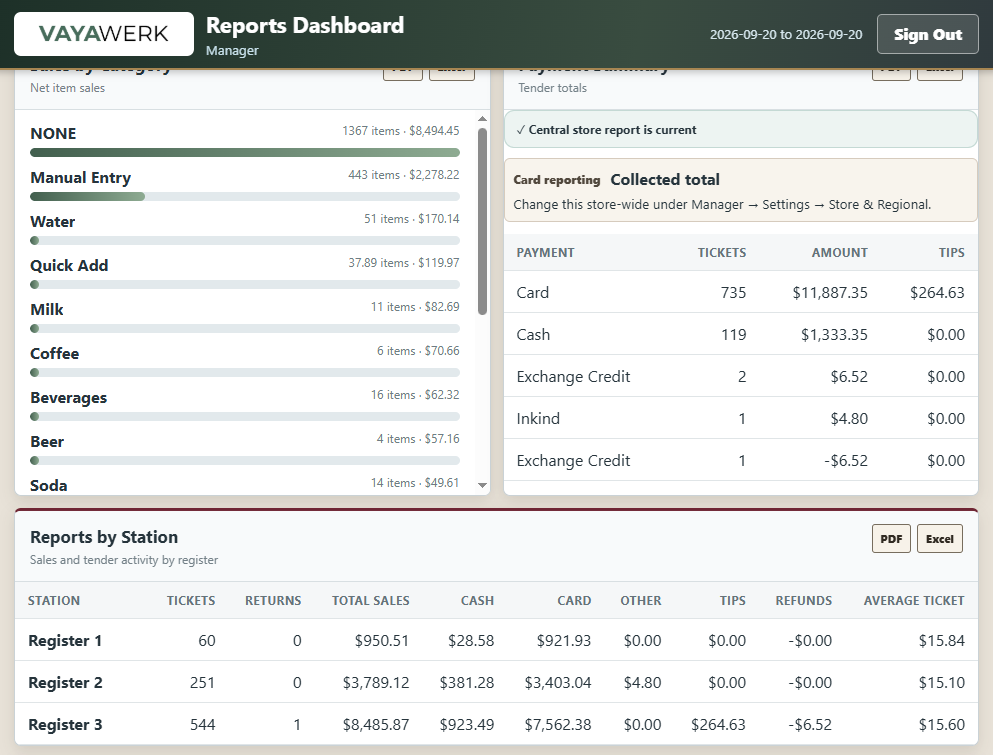
Core Vaya provides Station View and Store View for multi-register history, alongside a business-date selector and receipt search. That scope needs to follow the displayed cards, totals, and terminal activity. A store total should not look like a local total with a different label.
Station identity remains important even after records synchronize. It explains where a sale was created and which lane owns the corresponding local terminal or hardware context. A technician investigating a payment needs that context; an owner reviewing the day needs confidence that all intended lanes are included.
 Inspect screen
 Keep the sale and the payment inspectable.
 Inspect screen
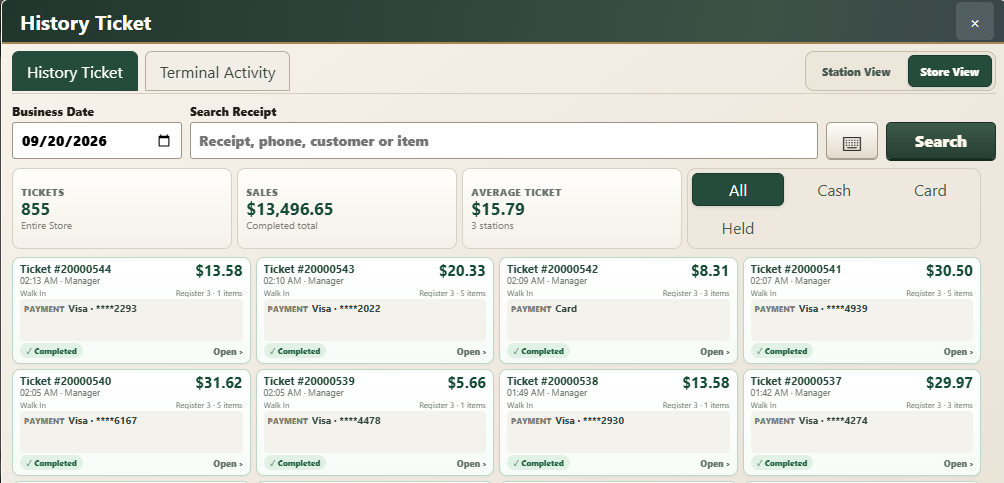
 Ticket history answers questions about recorded sales: items, invoice identity, amount, customer reference where present, and tender. Terminal activity answers questions about communication with the payment device and the result of its financial operations.
The two views need to be reconcilable because their events do not always finish together. A terminal can approve before the register receives a usable response. A receipt can fail after a sale has been recorded. A later tip adjustment can change the financial amount associated with an earlier payment.
| Record | What it explains | Question it helps answer |
|---|---|---|
| Invoice / ticket | The goods, quantities, prices, tax and tender recorded for the sale | What exactly was sold? |
| Terminal activity | Payment request, response, reference and status where available | What did the payment system approve? |
| Tip / adjustment record | A later change associated with an existing transaction | Why does the adjusted amount differ? |
| Batch / settlement context | The terminal’s settlement grouping | Which financial batch includes this activity? |
Recorded sales, authorization totals, settlement totals, and a bank deposit can differ for legitimate reasons. Reporting should expose their relationship instead of implying that one number proves all four.
Midnight is not every store’s closing time.
A busy store may trade across midnight. Core Vaya supports a configurable business-day start time, used to group invoices and daily activity. The source default is 06:00; the store’s chosen setting defines its operating boundary.
Timezone configuration and business-day grouping have to agree across all registers. An incorrect clock can make a valid transaction appear under an unexpected date or outside a report filter. The three-register time issue is a reminder to validate the operating-system timezone, the configured business boundary, and the displayed timestamps together.
This is an explanation of the configured boundary, not a recommendation for every store. The correct cutoff follows the merchant’s operation.
A held basket is not completed revenue.
Held tickets preserve work in progress. They must stay separate from completed-sale totals and average-ticket calculations. The history work distinguishes held from completed tickets and provides tender filters whose summary cards follow the selected view.
Store-wide held-ticket workflows add ownership questions: which lane currently holds or claims a ticket, what happens when another lane retrieves it, and what information is available during a network partition? Those are concurrency cases to test alongside the user interface.
Unpaid and uncertain-payment cases also need clear states. Printing a copy of an unfinished transaction must not silently turn it into a paid sale, and recovering a receipt must identify the intended invoice.
Recent local history. A shared longer-term archive.
Core Vaya uses a configured local financial retention window and a central PostgreSQL archive. Local records are only eligible for cleanup after their central copy has been acknowledged. Older-date queries can depend on the central archive.
This keeps the lane’s operational data bounded while retaining access to store history when the archive is available. It also creates a clear limitation: a disconnected register cannot necessarily retrieve every old transaction from its local disk.
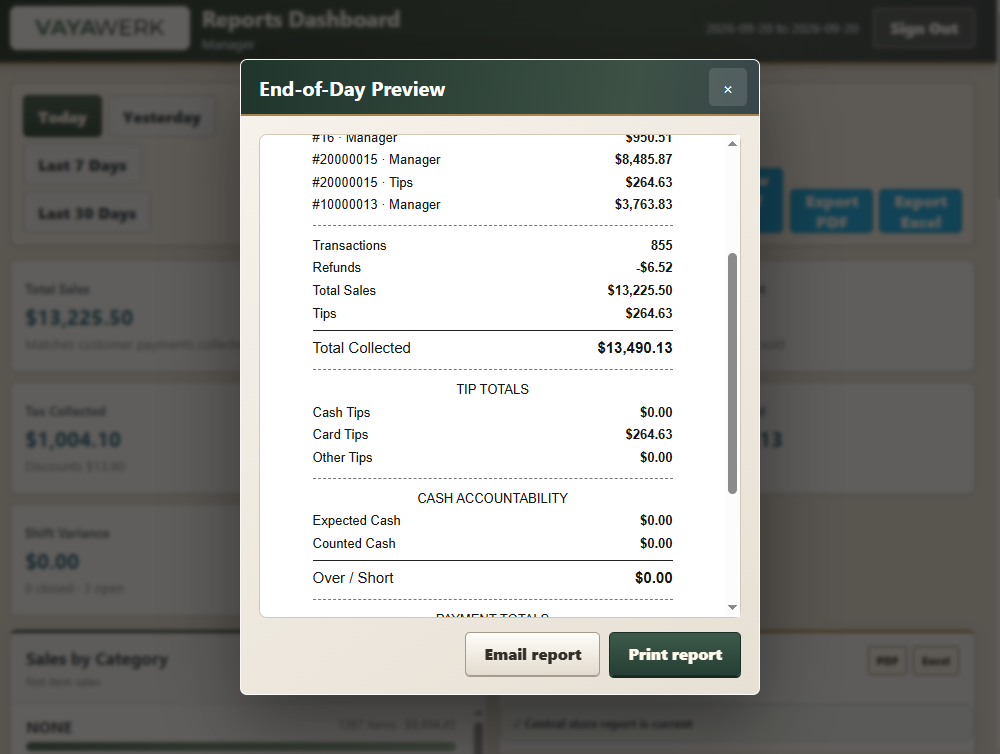
End-of-day review combines the configured business date, relevant shifts, tender breakdowns, adjustments, and store / station scope. Email delivery is a separate service dependency; generating a correct report and successfully delivering it through SMTP require separate checks.
 Inspect screen